When the Smart Home Becomes a Smart Prison

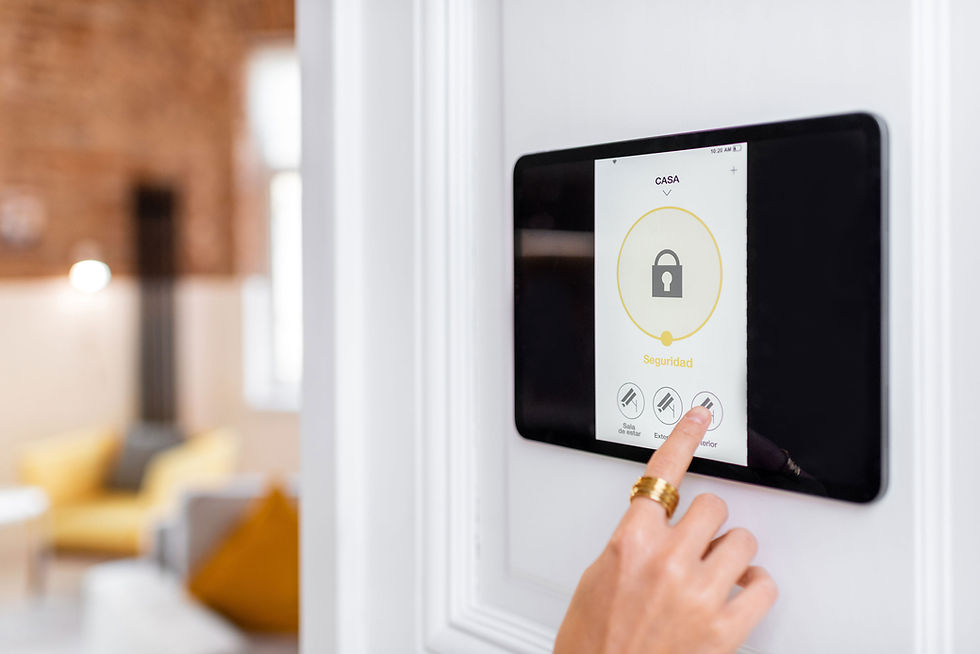
A survivor-centred guide to how abusers misuse connected homes, how to spot it, how to protect yourself safely, and how to build a legal and safety plan.
Read this first. If you are in immediate danger, call your emergency number (112 in Bulgaria and across the EU). If you suspect your devices are being monitored, read this on a device your abuser has never touched (a library computer, a friend's phone, a new prepaid phone). Everything you do on a monitored device may be seen. Do not delete, switch off or "fix" anything yet. Section 4 explains why.
This guide is educational. It is not legal advice and it cannot replace a trained domestic-violence advocate who knows your situation.
1. Why this matters
Smart cameras, speakers, thermostats, locks, lights, TVs and car apps were designed for convenience and security. Most were designed around one imagined user: the person who bought and set up the system. Researchers describe this as a design flaw rather than a bug: the owner or administrator has authority, and everyone else in the household simply lives inside it.
In a healthy home that is a minor annoyance. In a home with coercive control, it becomes infrastructure for abuse. Academic work published in 2026 describes smart-home-enabled abuse through four mechanisms:
Spatial control – the abuser decides who can enter, leave, see and be seen.
Infrastructural asymmetry – one person holds the admin account, the router password, the purchase receipts and the technical knowledge.
Epistemic destabilisation – the survivor is made to doubt her own perception ("lights that turn on by themselves", a thermostat that moves, a voice from a speaker), the digital form of gaslighting.
Automated continuity – schedules, routines and automations keep the abuse running even when the abuser is away or has moved out.
Researchers also note that smart-home abuse is often easier and lower-risk for the abuser than traditional abuse: it can be done remotely, quietly, deniably and repeatedly, and victims often struggle to prove it.
The most important sentence in this guide: coercive control is not a "technical problem". The technology is the tool; the pattern of power and control is the abuse. That is why the solution is never only a technical one.
2. How a connected home is turned against you
Think in layers. An abuser rarely needs advanced hacking skills. Most of what follows uses ordinary features that work exactly as designed.
Layer 1 – Accounts and administrator power
The weakest point is almost never the device. It is who owns the account.
The abuser registered the devices with his email and phone number, so he receives every alert, login code and recovery link.
Family-sharing, "household" or "home" features let one adult add or remove others, view activity and change settings.
Shared cloud accounts (photos, maps, location history, voice recordings) quietly sync your life to his devices.
Password resets and "verification codes" go to a phone he controls.
Layer 2 – The home network
He controls the router: admin password, Wi-Fi password, guest network, device list.
Router and app logs can reveal which sites you visit and when your phone is home.
Network extenders, "mesh" systems and parental-control features can filter, throttle or block you.
A device he left on the network when he moved out may still report to him.
Layer 3 – Devices
Device | How it can be misused | Possible signs | Why it is hard to notice |
Indoor/outdoor cameras and video doorbells | Live watching, recording, reviewing who visits, motion alerts sent to him, audio listening | Camera in new places; small lights; arguments about who visited; he "knows" what happened at home | Cameras are normal in homes and are sold as safety devices |
Smart speakers and displays (voice assistants) | "Drop-in"/intercom features, listening to history, announcements, playing sounds or messages, reading calendars and shopping lists | Speaker lights up or speaks unprompted; he knows things you only said aloud | Features are on by default and look harmless |
Smart locks and garage doors | Locking you in or out, access logs, temporary codes, disabling your code | Your code stops working; the door "fails" at odd times; he knows when you come and go | Often blamed on batteries or glitches |
Thermostats and heating | Extreme heat or cold as punishment or control; schedule changes | Temperature changes with no one touching it; you can't override it | Looks like a faulty device; leaves no physical evidence |
Lights, plugs, blinds and music | Flickering, turning lights off or on, blasting sound at night, sleep disruption | Patterns tied to arguments; things happen when he is away | Very effective for gaslighting and sleep deprivation |
Smart TVs and streaming accounts | Viewing history, account sharing, linked cameras/microphones in some models | Recommendations or history he comments on | Shared household accounts are normal |
Robot vacuums with cameras or maps | Maps your home, can include cameras or microphones | Device in rooms where you have privacy | Looks like a cleaning appliance |
Wearables, smartwatches, fitness trackers | Location, health and sleep data shared via family or coach accounts | Shared "circle" or family plan you never chose | Marketed as wellness |
Tracking tags and trackers (AirTag-type, Tile-type) | Hidden in bags, coats, children's items or cars | Unexpected "tracker found" alert; he turns up where you are | Tiny and cheap; alerts may be disabled or ignored |
Cars and vehicle apps | Location, remote locking, climate and service history | He knows where you've been; the car won't start or open | Often tied to his account |
Children's devices (smartwatches, tablets, baby monitors, connected toys) | Location and microphone access used to track you through the children | Child's device has unknown apps or shared accounts | Parents are expected to monitor children, which provides cover |
Phones and apps (the control centre) | Stalkerware, location sharing, cloud backups, linked accounts | Fast battery drain, strange data use, device prompts you never approved | Most signs are unreliable on their own (see Section 4) |
Layer 4 – Data and AI
Newer "AI home" features learn routines, voices and movement patterns. In abusive homes, that can mean predicting when you will leave, automating punishing responses, or producing messages and alerts you did not write. Researchers have proposed the term autonomous systems-enabled abuse for this, and a 2026 human–computer interaction study examined how AI tools could be exploited to facilitate coercive control. Take it as a warning: the more your home "learns", the more it can be used to know you.
Layer 5 – The legal and social layer
Abusers also use technology in court and in the community: false "evidence" from cameras, claiming she is the one using devices to harass, filing repeated applications, or contacting her workplace. Document everything (Section 8).
3. How to spot it: the warning signs
No single sign proves anything. Look for patterns and for the link between technology and the abusive behaviour.
Behavioural signs (often the strongest)
He knows things he should not: private conversations, where you went, who visited.
He reacts to what you did when he was not there.
He controls who you can talk to, and uses "the app" to justify it.
You are told you are "imagining" things when lights, sounds or temperature change.
He insists on owning every account, bill and device, or on being "the technical person".
Your access disappears (locks, Wi-Fi, accounts) after arguments.
Technical signs (weak on their own, stronger together)
New devices you didn't buy or approve.
Unknown users, "family members" or other phones in your accounts.
Unexpected login alerts, reset emails, or "new device signed in" messages.
Cameras or speakers lighting up, moving or speaking unprompted.
Unfamiliar apps, profiles or settings on your phone (for example, a configuration profile you didn't install).
Location sharing you didn't choose.
Router showing devices nobody can identify.
Important: a hot phone or fast battery drain does not prove stalkerware. Likewise, a clean scan does not prove safety. Experts at the Coalition Against Stalkerware and the Safety Net Project (NNEDV) stress that detection is difficult and unreliable on its own. Use patterns, not single signs.
4. The golden rule: safety before removal
In many cases, removing a monitoring app, switching off location sharing, changing a password or unplugging a camera will alert the abuser that you know. Advocates repeatedly warn that this can escalate abuse and can be dangerous.
So separate three decisions:
Detect and document (usually safe if done carefully, on a safe device).
Plan (with a trained advocate, ideally before you change anything).
Remove or lock down (only when it is safe, or as part of a planned exit).
If you are living with the abuser and he would notice changes, the safest approach is often to assume you are monitored, keep communicating normally on monitored channels, and use a separate, safe device for planning, help-seeking and evidence.
5. The countermeasure playbook
Step 1 – Get a safe channel
Use a device the abuser has never touched or had access to: a new prepaid phone, a friend's phone, a library or workplace computer.
Create new accounts (email, cloud) with no names or details he knows, a new strong password you have never used, and (where possible) a security key or authenticator app instead of SMS codes.
Don't reinstall backups from an old phone onto a new one: you could reinstall the spyware.
Step 2 – Map what exists (quietly)
Write a private list (kept off monitored devices):
Every connected device in the home and car, including children's.
Who bought it, which account it is registered to, who is the admin.
Who has router access and what the router's device list shows.
Which accounts and subscriptions are shared.
Step 3 – Document before you change anything
Photos and screenshots with visible dates/times; keep them somewhere he cannot reach.
A written log: date, time, what happened, what device, who was present, any messages.
Save notification emails, alert screens and login history.
Don't tamper with devices you want examined later (see Step 6).
Step 4 – Reduce exposure without tipping him off (only if safe)
Examples your advocate may help you decide on:
Check phone settings for unknown apps, accessibility or device-management permissions, and configuration profiles; on iPhone, use Apple's built-in Safety Check (Settings → Privacy & Security) and the Personal Safety User Guide; on Android, use Google's Safety Check and Play Protect, and check for unknown admin apps.
Use a reputable security app from the Coalition Against Stalkerware's partner list to scan.
Check account security pages (Google, Apple, Microsoft, Amazon, Meta etc.) for unknown devices and sessions.
Switch off drop-in, intercom and voice history features that you control, if doing so won't be noticed.
Step 5 – Lock down when you are ready
When your plan is in place (often at the point you leave or he has left):
Change the router admin and Wi-Fi passwords; update firmware; review connected devices.
Factory reset shared smart devices and re-register them to your account, or remove them (after documenting).
Take over account ownership: change the registered email/phone to yours, remove other users, revoke old sessions, rotate passwords, turn on 2-factor authentication.
Re-key or replace smart locks and codes; confirm no remote access is left.
Check vehicles: connected-car accounts, key fobs, hidden tracker sweeps.
Re-check children's watches, tablets and toys, and remove shared accounts.
Consider replacing devices rather than cleaning them if their history or ownership is tied to him.
Step 6 – Preserve devices for experts
If you plan legal action, do not wipe, reset or discard a device you want examined without taking advice first. A resetting device can destroy the evidence. Ask your lawyer or advocate how to hand devices to a qualified examiner.
Step 7 – Physical sweep
Devices don't always report to a cloud. Check for tiny cameras and microphones, trackers in bags, coats, cars and children's items. Use unknown-tracker alerts on your phone, but remember they can be turned off or evaded.
6. A quick-reference safety plan
When | What to do |
Today | Safe device + safe number for contact. Tell one trusted person. Save the hotline number. Start a private incident log. |
This week | Map devices and accounts. Call an advocate or helpline. Secure your most critical accounts (email first, then banking, then cloud). |
Before you leave | Documents (ID, children's papers, bank info) in a safe place. Plan where you will go and how. Decide with your advocate when to change passwords and reset devices. |
After you leave | Change router, accounts, locks and 2FA. Remove or reset shared devices. Check vehicles and trackers. Review what he can still access (shared plans, family groups). |
Ongoing | Keep logging incidents. Re-check devices and accounts regularly. Report breaches. Keep your lawyer and advocate informed. |
7. Case examples from around the world
These cases are real, but details differ by country. They are included to show you are not imagining it, and that courts are taking it seriously.
United Kingdom – R v Cairns (2018). A man with expertise in electronics was convicted of stalking after using a connected home-control system to monitor and harass his estranged wife. The stalking conviction was later quashed on appeal, but the harassment conviction was upheld and he was barred from contacting her for three years. Researchers described it as one of the first convictions involving internet-of-things technology. It also shows how legal outcomes can be fragile: evidence and framing matter.
United States – New York Times investigation (2018). Survivors, lawyers and shelters described abusers remotely controlling thermostats, locks, lights and cameras, sometimes after the survivor had left or an order of protection was in place. Advocates noted that many restraining orders did not cover these devices, which is why lawyers now ask judges to expressly include smart-home devices and accounts in orders.
United States – New Jersey family-court appeals. In published commentary on recent New Jersey cases, one appellate ruling upheld a stalking finding where a husband had used a drone to surveil his wife and had interfered with her lights, thermostat and security cameras; in another, an appellate court reversed the denial of a protective order in an AirTag case. These show courts are applying existing stalking and harassment law to new technology.
Ireland (2025). A woman described being "always watched" through cameras installed in the family home that fed to her husband's phone. He admitted coercive control and assault causing harm. Even with a conviction, she said she felt the sentence did not reflect the damage.
Canada – survivor account. One survivor described being monitored through surveillance cameras "from thousands of miles away", showing that distance does not end control.
Takeaway: courts increasingly recognise this behaviour, but you usually need a clear timeline, preserved evidence and a lawyer who understands the technology.
8. Building your legal plan
A global view
Region | Key legal tools (high level) |
Council of Europe | The Istanbul Convention is the benchmark treaty on violence against women and domestic violence. |
European Union | Directive (EU) 2024/1385 is the first EU law on violence against women. It requires Member States to criminalise cyber stalking, cyber harassment, and non-consensual sharing of intimate or manipulated images, including deepfakes. Member States must transpose it by 14 June 2027, so national laws may still be catching up. |
United Kingdom | Coercive or controlling behaviour is a criminal offence; stalking, harassment and protective orders are also available. |
United States | Stalking, harassment and protective-order laws vary by state; some courts now recognise smart-home and tracker abuse. |
Australia, Canada, Ireland | Coercive-control or stalking offences exist in various forms, with dedicated technology-abuse resources. |
A local example: Bulgaria
Because this guide is written for readers in Bulgaria and beyond, here is the picture there. Please confirm all details with a Bulgarian lawyer or the Animus Association Foundation, as laws and procedures change.
Stalking has been an offence in the Bulgarian Criminal Code since 2019 (Art. 144a). Reports on later amendments describe higher penalties where stalking occurs in a domestic-violence context.
The Protection against Domestic Violence Act allows you to apply to the regional court for protective measures. Amendments reported in 2025 extended the application deadline from one month to three months and require the court to use a structured risk assessment, so don't wait, and don't assume "online" threats aren't enough.
Gaps remain. A 2026 study highlighted that civil and criminal protections are still too narrow and that discriminatory violence against women is not fully covered. That is exactly why an experienced lawyer or advocate matters.
Hotline: Animus Association national hotline for victims of violence, 0800 1 86 76 (free, around the clock). Alliance for Protection against Gender-Based Violence: 0800 11 977. Emergency: 112.
What your lawyer will want from you
A timeline of incidents with dates, devices, accounts and witnesses.
Preserved evidence: screenshots, alerts, login histories, messages, photos of devices, receipts showing who bought and registered them.
Medical, police or advocate records, if any.
Device and account inventory (Section 5, Step 2).
Your safety needs: where you live, whether children are involved, whether he has access to the home.
What to ask the court for (with your lawyer)
Protective orders that explicitly mention smart-home devices, cameras, accounts, trackers, vehicles and children's devices, not just "contact".
Orders requiring him to hand over or transfer account ownership and admin credentials, and to stop accessing shared systems.
Preservation of data so it isn't deleted.
Where relevant, requests for device-manufacturer or platform records (such as access history). In the EU, your lawyer may also use data-access rights under the GDPR to ask a company what data it holds about you.
Consideration of tech-abuse in custody and contact decisions, especially where children's devices are used for monitoring.
Report it, in a way that works for you
You may report to the police and to a prosecutor. Talk with an advocate first about timing, particularly if you still live with him.
Bring your log and evidence, and ask for the report to mention technology explicitly.
Keep copies of everything you submit.
9. How to vet cybersecurity and forensic experts
A good expert can find evidence and testify. A bad one can make things worse, or become another threat. Be cautious, and ideally engage the expert through your lawyer so communications are protected and the work is aimed at what the court needs.
What good looks like
Check | What you want to see |
Experience with survivors | Prior work with domestic-violence cases, advocates or family-law lawyers. Can explain how they protect safety, not just technical findings. |
Credentials | Recognised digital-forensics certifications (for example GIAC forensic certifications, EnCE, or equivalent) plus relevant training. Verify with the issuing body. |
Court experience | Has written expert reports and testified. Can show an anonymised sample report. |
Forensic method | Uses chain-of-custody records, forensic imaging, hashing to prove files weren't changed, and clear documentation of every step. |
Lab standards | A lab accredited to a recognised standard, or a clear explanation of equivalent controls. |
Independence | Reports what the evidence shows, even if it doesn't support your theory. |
Clear contract and fees | Written scope, written fee structure, data-handling and deletion rules. |
Trauma-informed communication | Doesn't blame, doesn't pressure, explains risks of removal and escalation. |
Red flags: walk away if they…
Promise to "hack him back" or access his phone, email or cloud. That's illegal and can destroy your case and your safety.
Sell or install monitoring or spy software.
Guarantee results or claim they can "find everything".
Ask you to wipe or reset devices before imaging them.
Refuse to put the scope, price and findings in writing.
Pressure you for urgent payment, or ask for payment only in cryptocurrency.
Have no verifiable identity, business address or professional history.
Won't work with your lawyer or won't explain how evidence will be preserved for court.
Questions to ask
Have you worked on domestic-abuse or stalking cases? Can you work with my lawyer and advocate?
How will you keep me safe if the abuser notices changes?
How do you preserve and document evidence? Can you provide a chain-of-custody record?
Will you write a court-ready report and testify if needed?
What will you do if you find something? Who will you tell?
What are your fees, timelines and data-retention rules?
Where to look
Start with the Coalition Against Stalkerware and its partner organisations, the Clinic to End Tech Abuse (CETA), the NNEDV Safety Net Project, Refuge's tech-safety resources (UK), and Access Now's Digital Security Helpline. They can often help directly or point you to trusted specialists. Local bar associations, domestic-violence organisations and family-law lawyers are also good routes to vetted experts.
10. Protecting your family and children
Treat children's devices as part of the home network: tablets, watches, consoles, baby monitors, toys with cameras or microphones.
Check which accounts and location-sharing groups they belong to; remove access you didn't approve once it is safe to do so.
Teach older children, in age-appropriate language, that they can tell you if someone asks them to share their location, passwords or what you do.
Be aware that a parent can use a child's device as a tracking route. Discuss this with your lawyer when planning contact arrangements.
11. Prevention: if you are setting up or buying smart devices
Register devices to your own email and phone, even in a shared home.
Keep admin ownership of the router and of key accounts shared or held by the person most at risk, rather than a single partner.
Use separate accounts for each adult, strong unique passwords, a password manager and 2-factor authentication (authenticator app or security key preferred).
Prefer devices that show clear, visible indicators when cameras or microphones are active, and that allow you to review access logs.
Avoid giving one person total control over locks, heat and cameras.
Review shared accounts and family groups at least every few months, even if you trust your partner now.
12. Please ask for help
If you recognised yourself in this guide, you are not weak, paranoid, or "bad with technology". You are being controlled by a system built to be hard to challenge. Isolation is the aim of coercive control. Reaching out breaks it.
Call an advocate or helpline before you change a single setting.
Tell one person you trust.
Keep a safe device and start your log today.
Speak to a lawyer who understands domestic abuse and technology.
Helplines
Emergency (EU/Bulgaria): 112
Bulgaria, Animus Association national hotline: 0800 1 86 76
Bulgaria, Alliance for Protection against Gender-Based Violence: 0800 11 977
Elsewhere: search for your country's domestic-violence hotline using a safe device; in the US, the National Domestic Violence Hotline is 800-799-7233.
Technical and safety resources: Coalition Against Stalkerware (stopstalkerware.org); NNEDV Safety Net Project (techsafety.org); Clinic to End Tech Abuse (CETA); Refuge Tech Safety; Access Now Digital Security Helpline.
Sources and further reading
Key themes in this guide draw on: the 2026 Digital Domestic Coercive Control review (KADEM Journal of Women's Studies); Bukhtiar's 2026 work on privilege-by-design and autonomous systems-enabled abuse (The Open University); Owens and Copilah-Ali (2026) on corporate responsibility for smart-home abuse; the 2026 CHI study on AI-facilitated coercive control; research on abuse in smart homes (arXiv); guidance from the Coalition Against Stalkerware, NNEDV Safety Net and the US FTC; reporting by the New York Times, VICE, CBC and the Irish Times; commentary on US family-court cases (Fox Rothschild); European Commission information on Directive (EU) 2024/1385; and Bulgarian reporting by BNR, BNT, BTA and RFE/RL on domestic-violence law and the Animus Association.
Laws change and differ by country. Verify with a qualified lawyer and a trained domestic-violence advocate before acting.


Comments